
Email Setup


Open Outlook Express
|
|
||
|
Email Setup |
||
|
|
||
|
| Open Outlook Express |
Go to
Tools / Accounts / Mail / Add / Mail
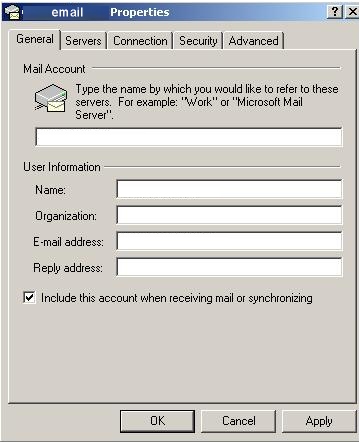
name = your name (ie: Jhon Forbes)
organiztion = your organiztion (ie:MSFT Corp.)
e-mail address = your email (ie: jforbes@msn.com )
reply address = your email (ie: jforbes@msn.com or
jforbes@compaq.com for replly address)
Go to
Servers
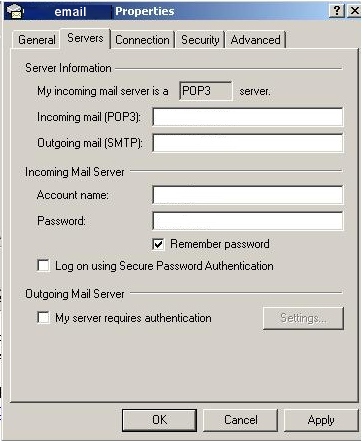
pop3 = your pop3 (ie: pop3.msn.com)
smtp = your smtp (ie: smtp.msn.com)
account name = your account (user ID ie: jforbes)
password = your password (ie: ****** )
Go to
Advanced
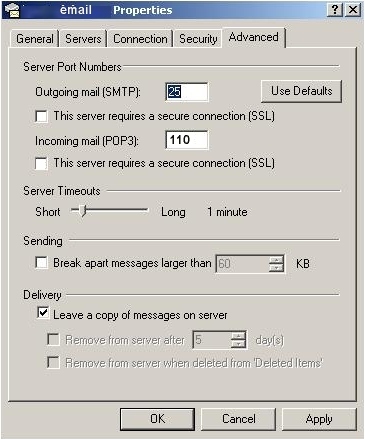
timeout = times (if to much traffic set this to max.)
leave a copy of message on server = (ie: if you want read this message from other PC)